

Blue theme setup
You can change the Primary Color in 10 different color pallet. You can change from right sidebar, you can see there a section named "Primary Color", your primary color will be change by clicking on any color pallet there. Here's an example :
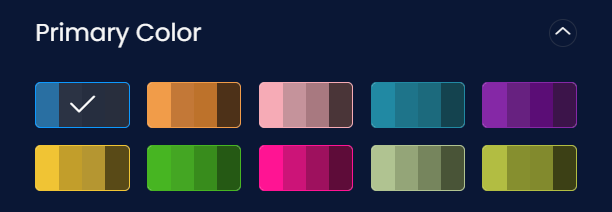
But remember that this won't change your primary color everywhere or permanently, this will work for a single browser only. But if you want to change it permanently, then link a CSS style shit to <link rel="stylesheet" id="primaryColor" href="assets/css/blue-color.css"> inside <head> tag.
There's have 10 different color css file in assets/css/ directory
| 1 | blue-color.css |  |
| 2 | orange-color.css |  |
| 3 | pink-color.css |  |
| 4 | eagle_green-color.css |  |
| 5 | purple-color.css |  |
| 6 | gold-color.css |  |
| 7 | green-color.css |  |
| 8 | deep_pink-color.css |  |
| 9 | tea_green-color.css |  |
| 10 | yellow_green-color.css |  |